Cradlecrown v2.5: A clearer interface and a guided migration
Refined menus and match panels, a twelve-chapter tutorial following the Goths fleeing Hun raids, herald pennants for reforms and new ages, and fixes that make play smoother.
For v2.5 I focused on the interface and on helping a first-time player understand what to do. I rearranged the menus, civilization selection, the villager’s building panel and reforms. Alongside those changes, I added a tutorial that teaches the game’s systems through separate playable scenes.
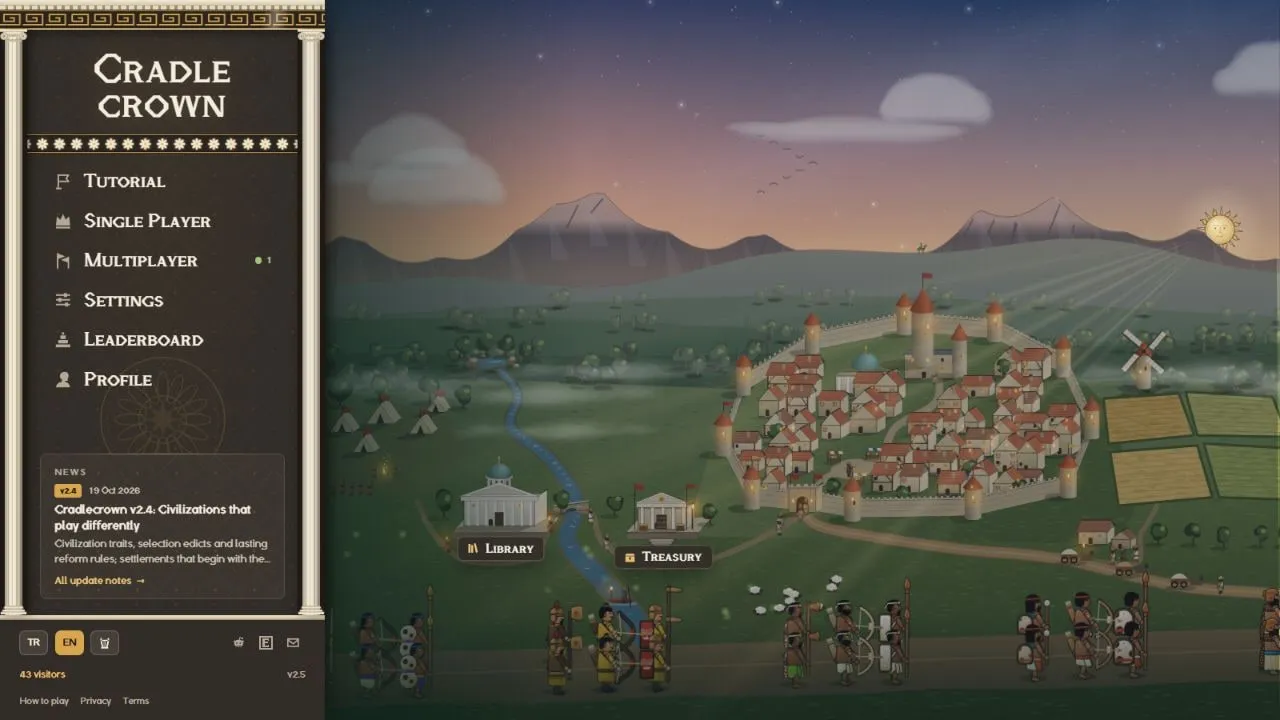
Less clutter around the map
The resource bar now forms a compact panel with shaped ends. I adjusted the minimap, scoreboard and bottom command panels together. Stone frames, worked edges and small ornaments connect the panels to the world while leaving more room for the map.
Selecting a villager opens the available buildings immediately. Switching between economy, military and defence keeps the same panel footprint, even when a category contains fewer buildings. The building cards are smaller and the category controls clearer. Long explanations moved behind small question-mark buttons.
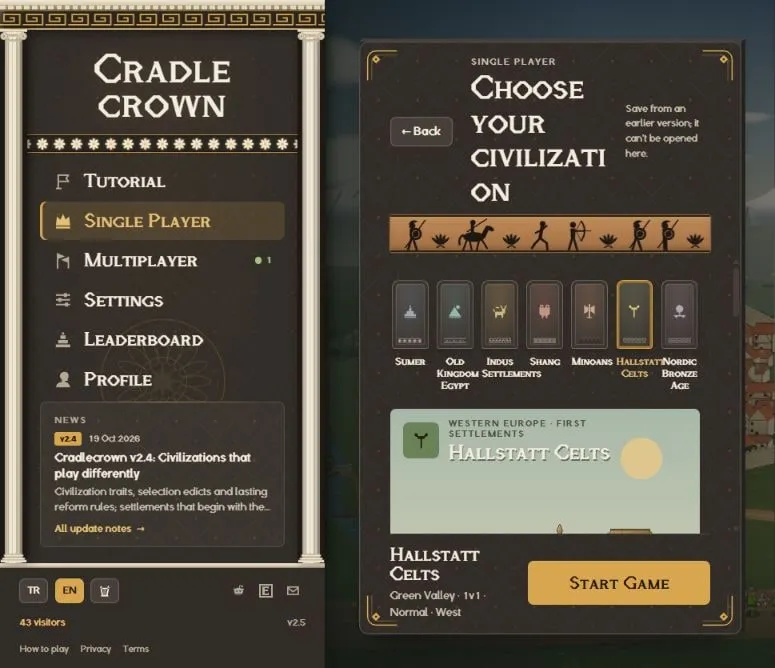
Single-player and multiplayer setup, the library, treasury and other menus received the same visual treatment. The figure processions and highlights still move, at a calmer pace. Civilization selection uses each civilization’s own emblem; its ability, strengths, trade-offs, signature troop and lasting legacy have separate places in the summary.
The migration: learn with the Goths
The tutorial opens directly from the first entry on the main menu. Gothic families fleeing Hun raids are looking for a new home. Your first task is to bring their escorts to safety. It is a learning scenario set within the game.
I built twelve chapters, each with a prepared scene and the units or buildings needed for that lesson. You see the purpose before starting. During play, the instructions and completion condition stay visible. The chapter list lets you jump to a particular system or skip a lesson you already know.
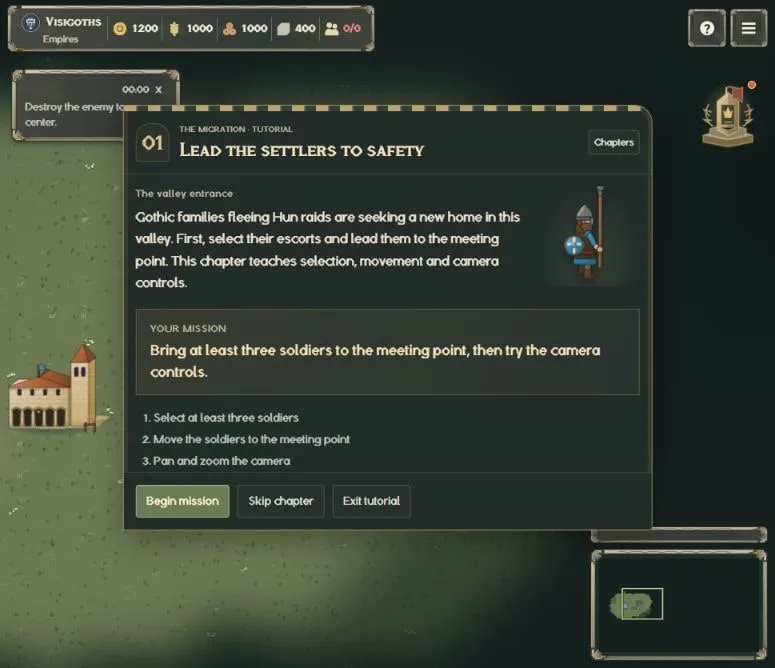
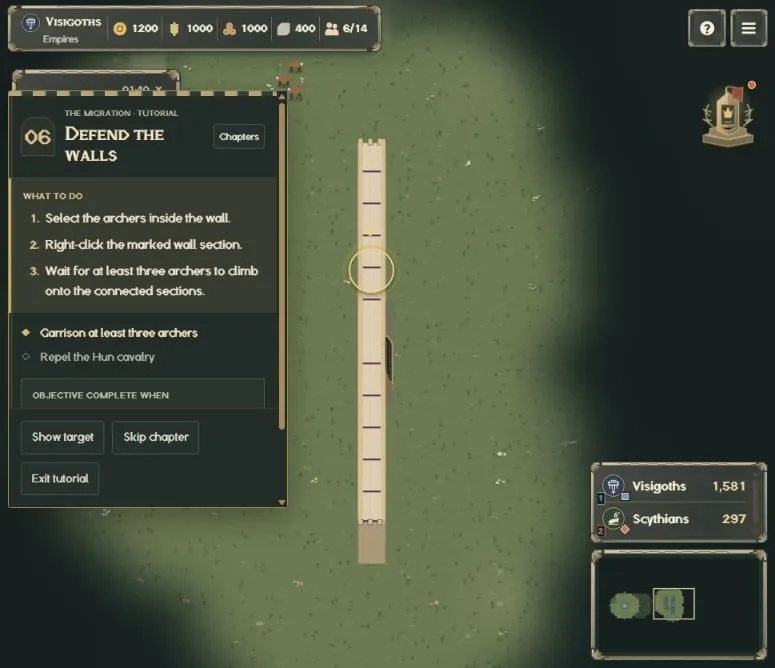
The chapters start with selection, movement and the camera, then cover buildings, resource deliveries, villagers and military production. Army control, wall defence, treatment of the wounded and an assault on an enemy outpost follow. The final chapters introduce reforms, advancing ages, signature troops, taxes and public spirit.
In the defence scene, the wall and gate are already built. You position archers on the wall; once enough are stationed there, the Hun cavalry attacks. The care chapter shows wounded soldiers going to the infirmary automatically after combat. The assault chapter introduces using different troops together.
Construction, training, research and care take about three seconds in the tutorial. Trying a system should not require waiting through a full production timer. Regular matches keep their normal timings. I also reviewed the instructions in both Turkish and English.
A herald for reforms and new ages
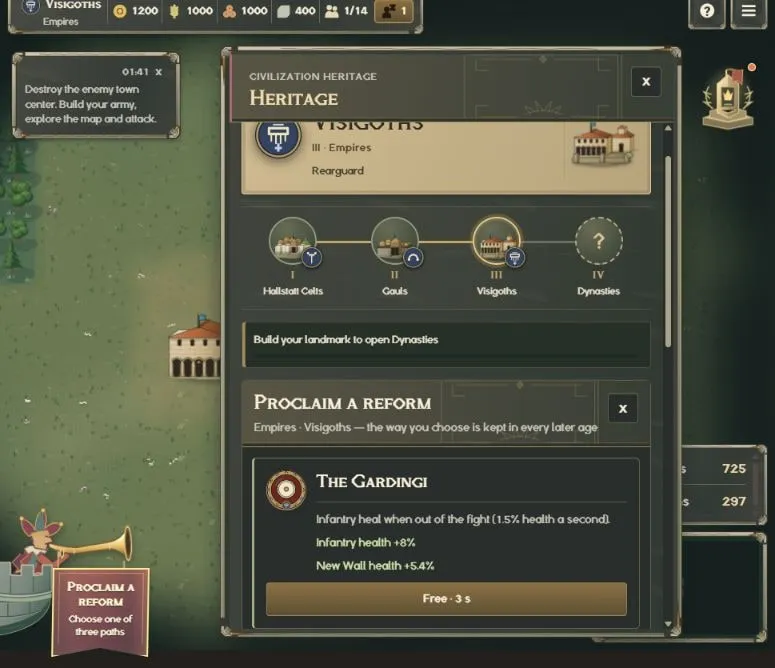
A small curved battlement projects from the left edge, with a trumpet-playing jester standing behind its parapet. When a reform or a new civilization choice is ready, a pennant unfurls below the trumpet. Click it to make the decision. Research progress also appears here.
The herald moves gently and the cloth sways slowly. A short trumpet call announces a ready decision once. It does not repeat with every interface refresh, and simultaneous notifications share a single call. Its level follows the sound-effects setting.
Reform choices now sit inside the heritage panel. Chosen reforms also appear in the scoreboard. Your civilization history, current powers and reforms have a more orderly layout in the same panel.
Fixes
- Sumer no longer receives free farms and mills before completing the relevant reform. Building cards now show their costs accordingly.
- Removed unnecessary placement and building-help messages, and fixed guidance interfering with input when WASD camera control was disabled.
- Blocked the browser context menu and accidental mouse navigation on the game area. Single-player autosaving and protection when leaving the page were also addressed.
- The visitor counter remains available when a counting request fails. It attempts to read the existing total, and the statistics panel stays accessible from the main menu.
Every screenshot in this post was captured from live v2.5. If you have kept the game open in a tab, refresh it before starting a new match.
Play at cradlecrown.com. Send bugs and suggestions through r/cradlecrown or to [email protected].