Cradlecrown v2.1: A new interface
Menus, match settings, the library and the in-match panels were redesigned from scratch. A portico with the Ishtar Gate's ornaments on the main menu, books bound by way of play in the library, and a plain, flat match interface.
In v2.0 every civilization got its own soldiers and its own architecture. The interface around those drawings stayed as it was, though: a dark green ground, gold rules, small capitals. Every screen looked like every other, and none of them looked like the game. In v2.1 I redrew the menus, the match settings, the library and the panels inside a match.
I tried a few themes on the way. Light mudbrick was too white, dark basalt tired the eyes. I settled on the colours of a kilim: indigo woven windows, undyed wool cards, saffron for what is chosen and a madder-red stripe along the edges.
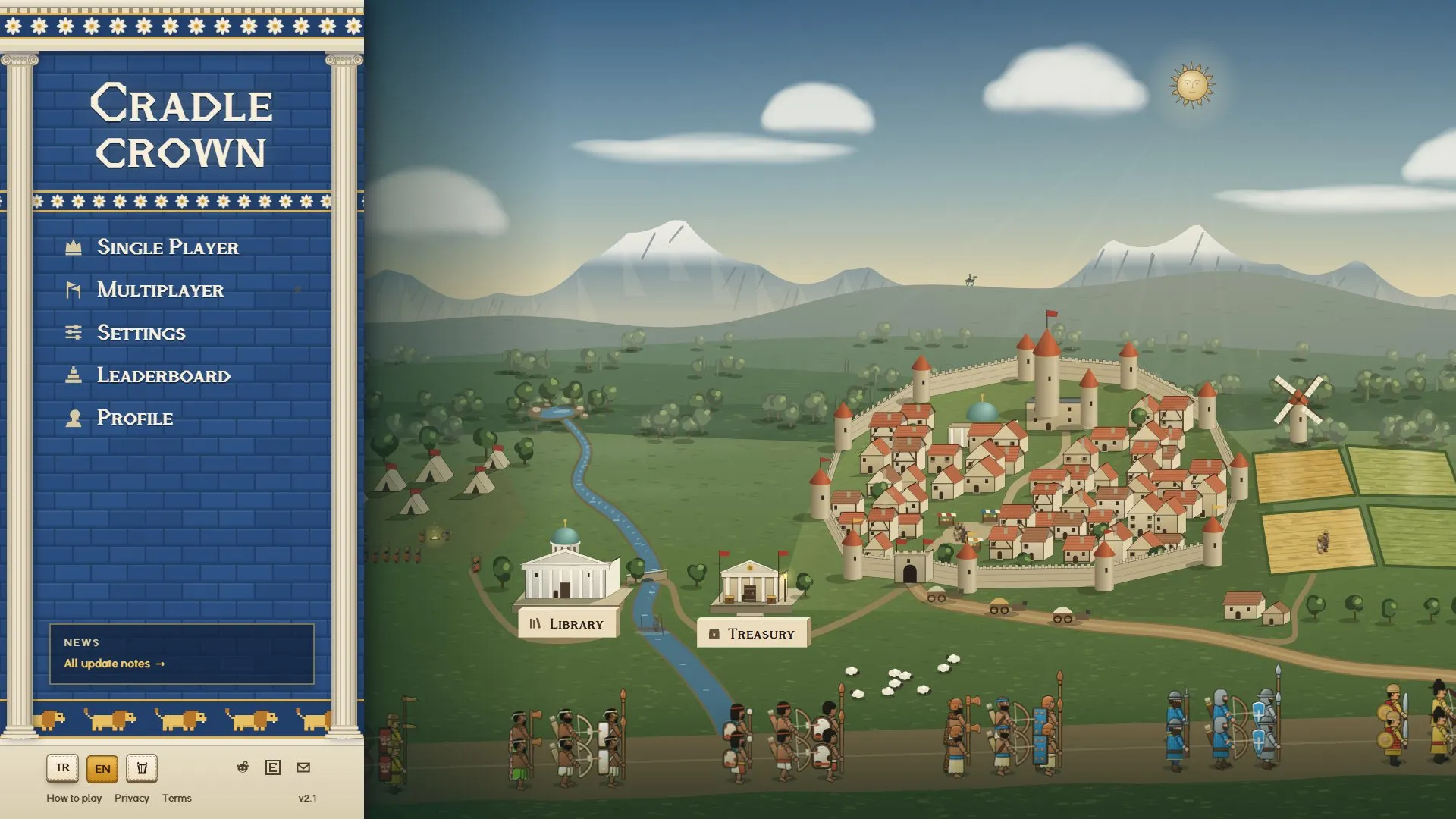
Main menu
The menu is now a portico set against the left edge of the screen. Ionic columns stand on either side. The frieze above carries the rosettes of the Ishtar Gate, the middle is a wall of glazed blue brick, and at the bottom the lions of Babylon’s Processional Way walk past. Above it stands only the game’s name. Language, music and links sit on the marble steps.
The valley now starts right of the portico, so the library and the treasury are no longer hidden under the menu.
The library
The library is a bookcase again, rebuilt from scratch. Each region has a shelf. Civilizations stand in order of age between bookends numbered I to IV. Each book is bound in the colour of its civilization’s way of play: green economy, blue defense, red infantry, purple ranged, mustard cavalry, slate siege. The spine carries its name in gold and its emblem.
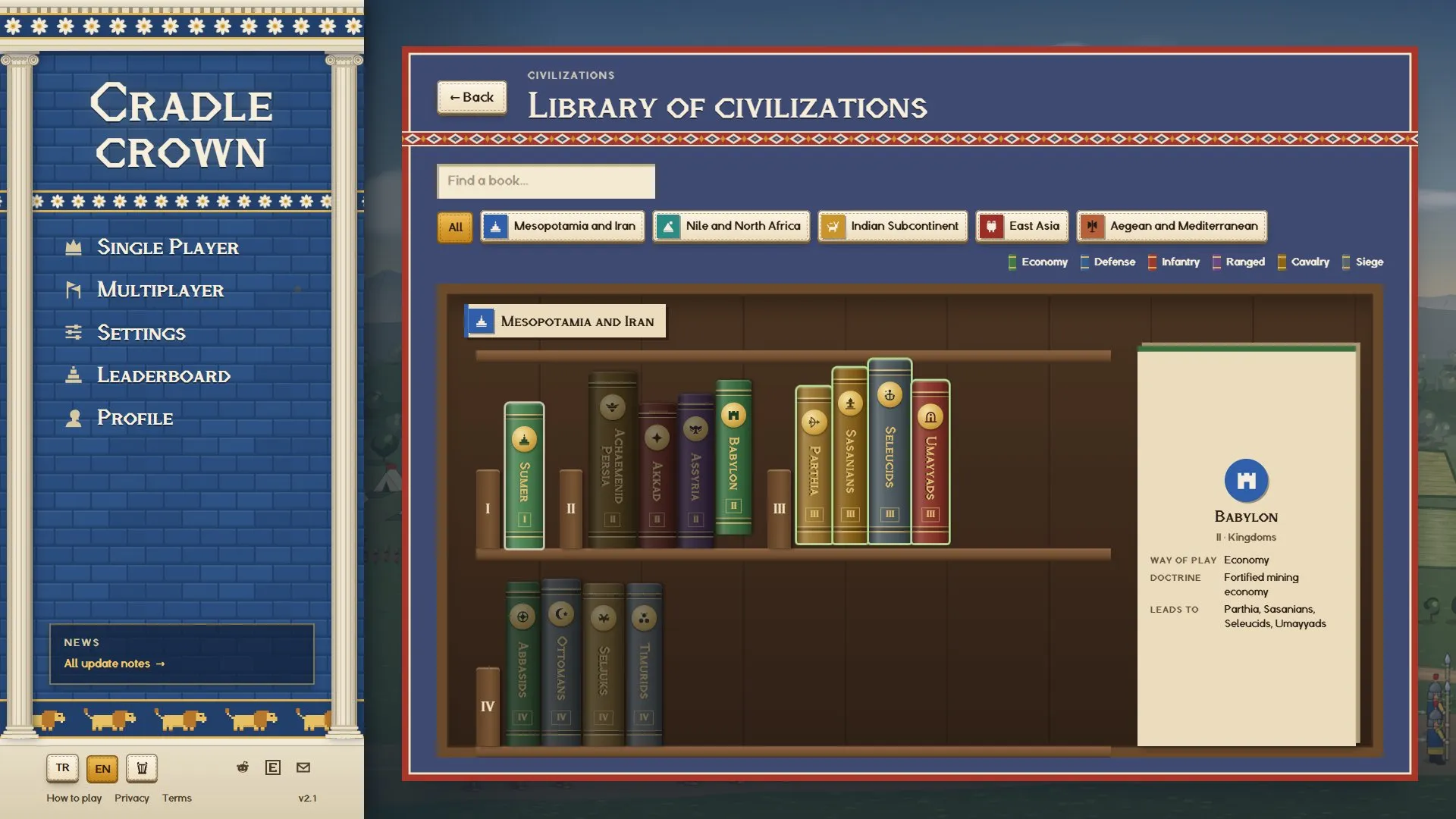
Point at a book and it lifts off the shelf a little. The civilizations it can become in the next age get a green outline, and the label at the end of the shelf gives its way of play, its doctrine and where it leads.
Click a book and it comes off the shelf to the middle of the room, turns to show its gold-tooled cover, and the cover opens.
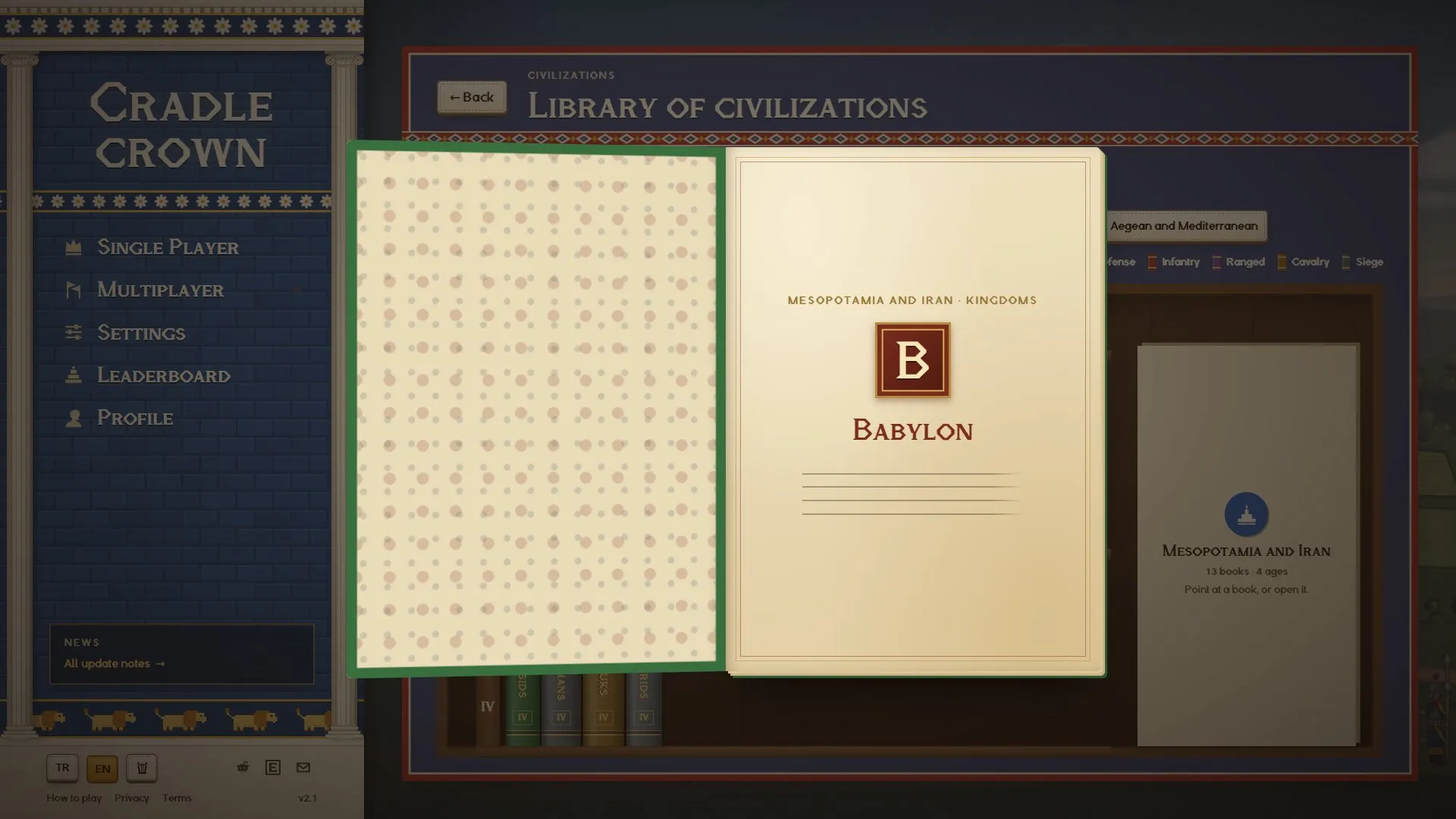
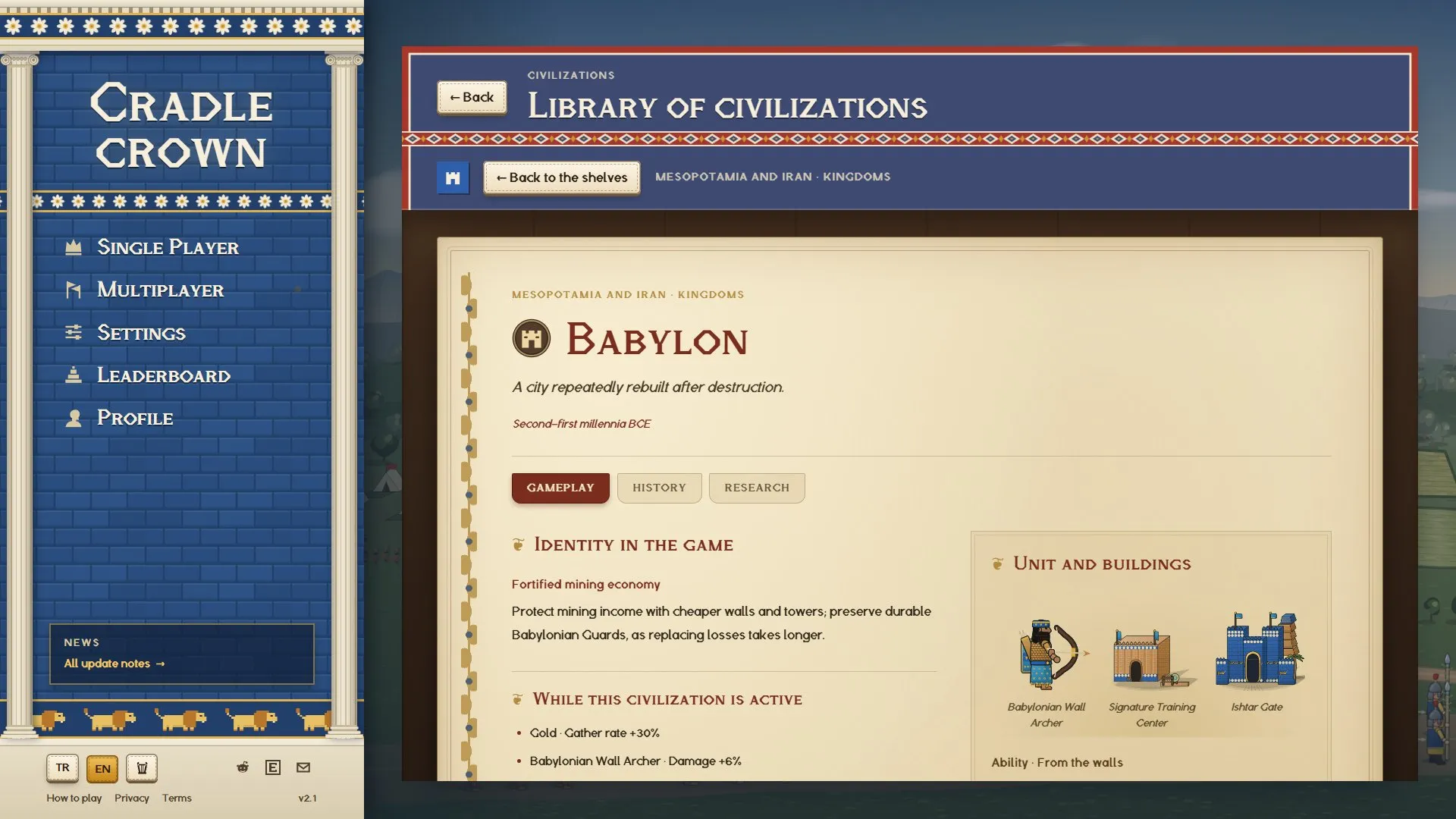
The page is an illuminated manuscript: parchment, red headings, an ornamented initial and a gold vine down the margin.
Single player and multiplayer
You choose a civilization from large coloured tiles. The one you pick steps onto a stage under its region’s sky with its three works: its landmark, its signature unit and its training building. The stage used to list effects, stats and a details box as well; it was crowded, so I took them out. All of it is in the library.
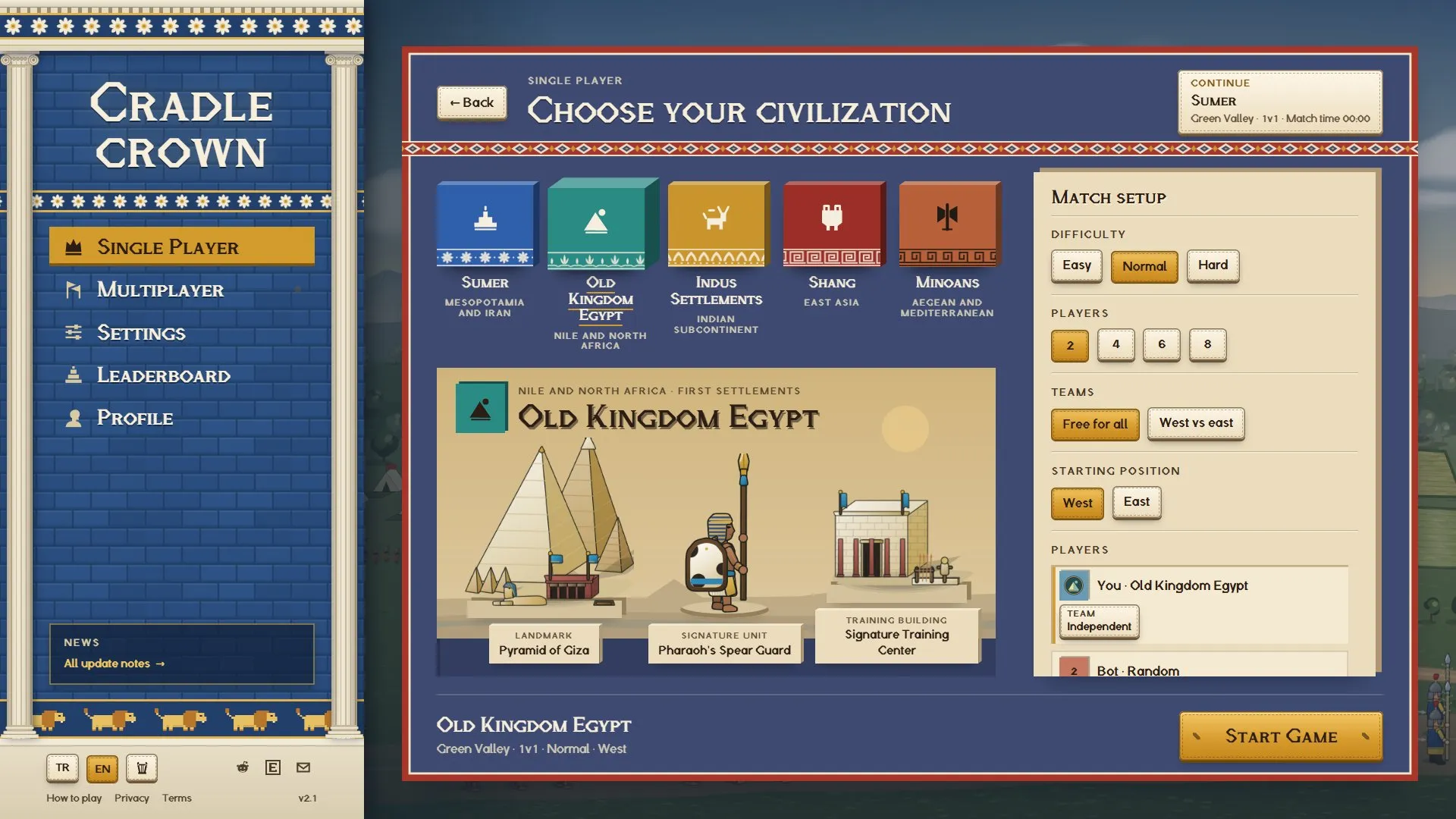
The options in the match setup stand out from the card they sit on, and the chosen one is saffron. Buttons look like pieces of wool with a stitched edge instead of flat colour, and they sink in when pressed. The lists for seat, team and civilization now open right under where you clicked.
In a match
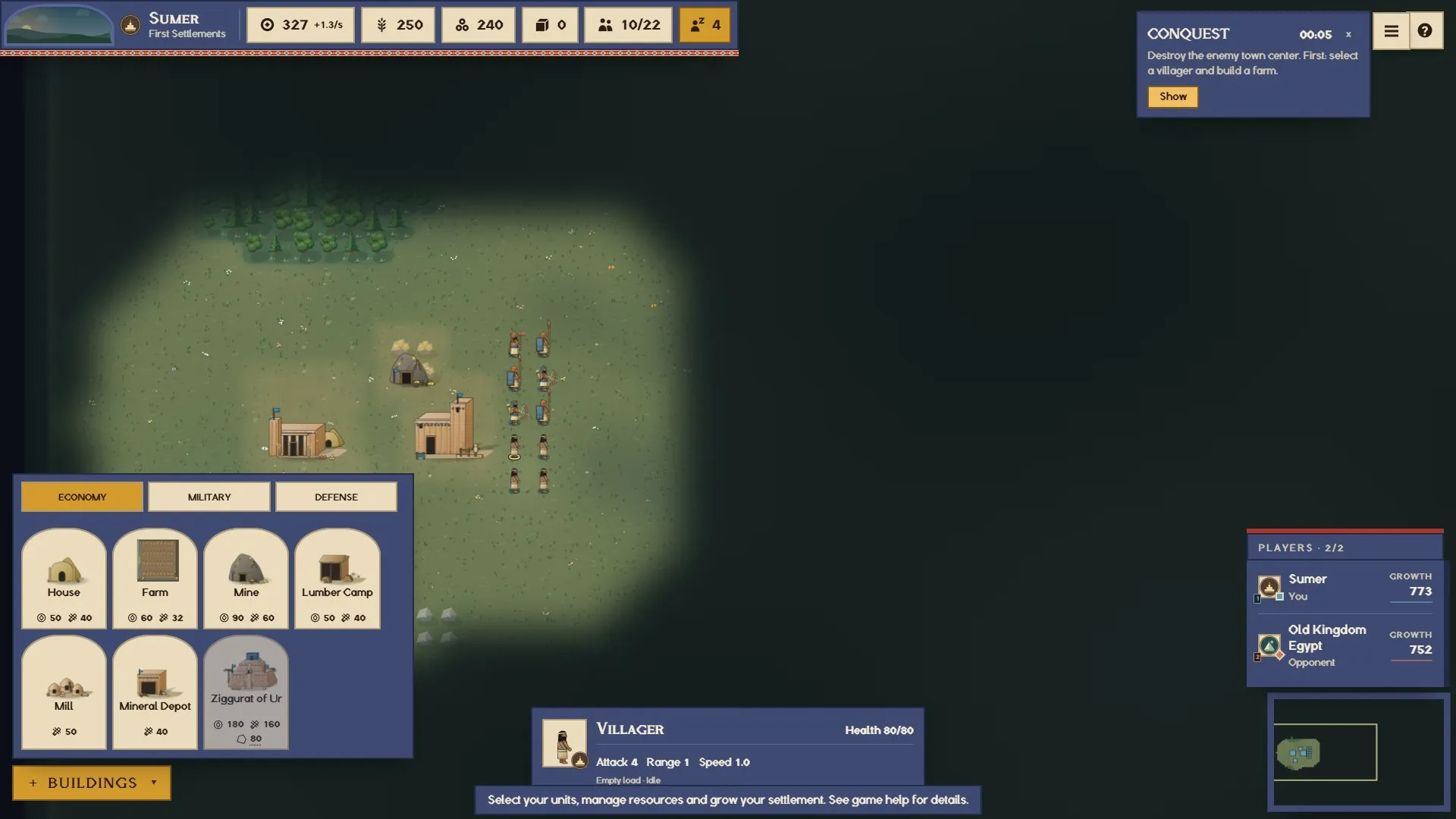
The match interface is flat and two-dimensional. In the last version every panel and button was raised with a heavy shadow, which was tiring during a match. Now a thin edge is enough.
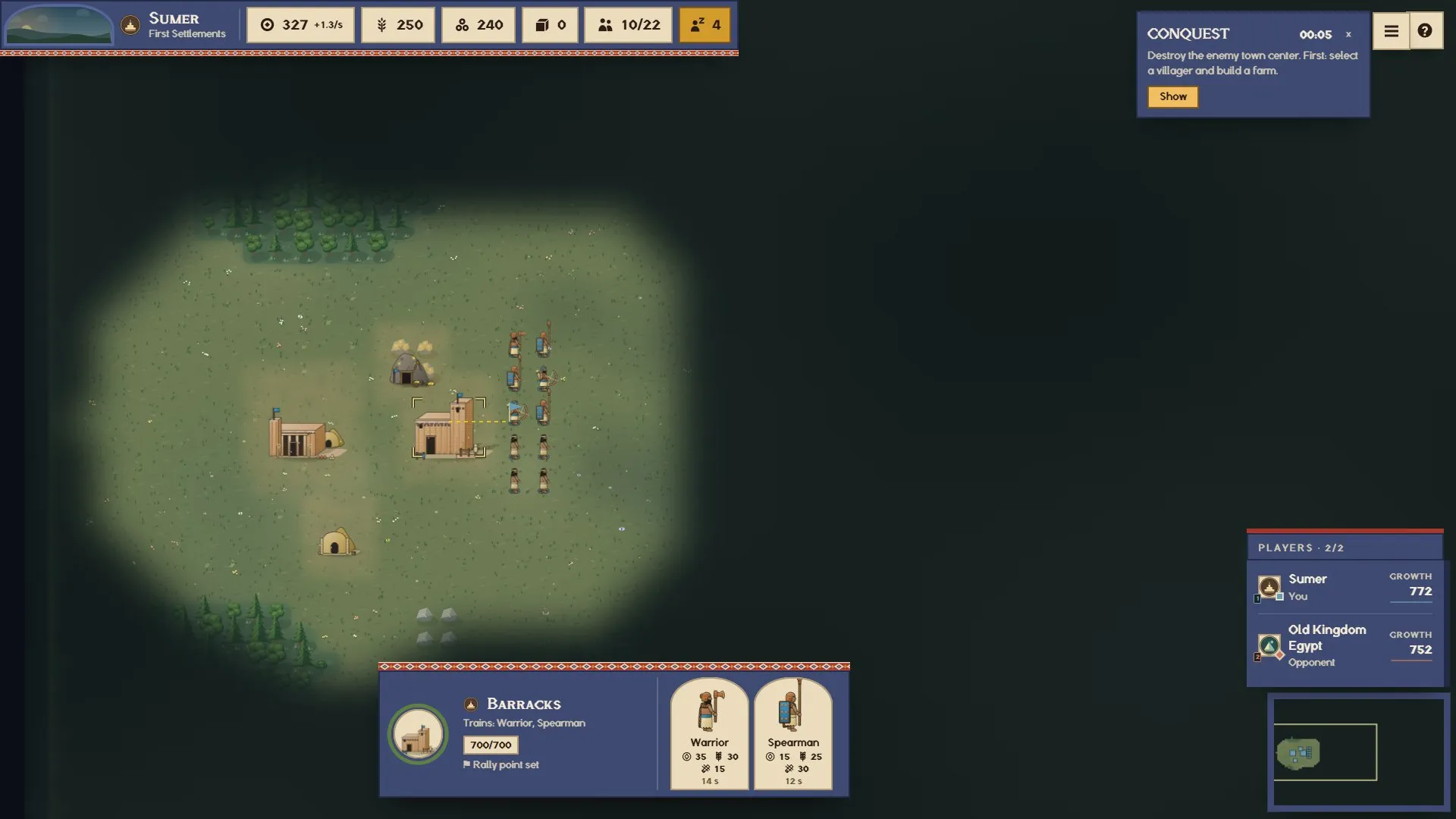
The resource bar sits flush in the top-left corner. The art and text inside building and unit cards are larger, and the build menu lays its cards out four to a row. I removed the hotkey tag from the cards’ top left; the hotkey is in the card’s tooltip.
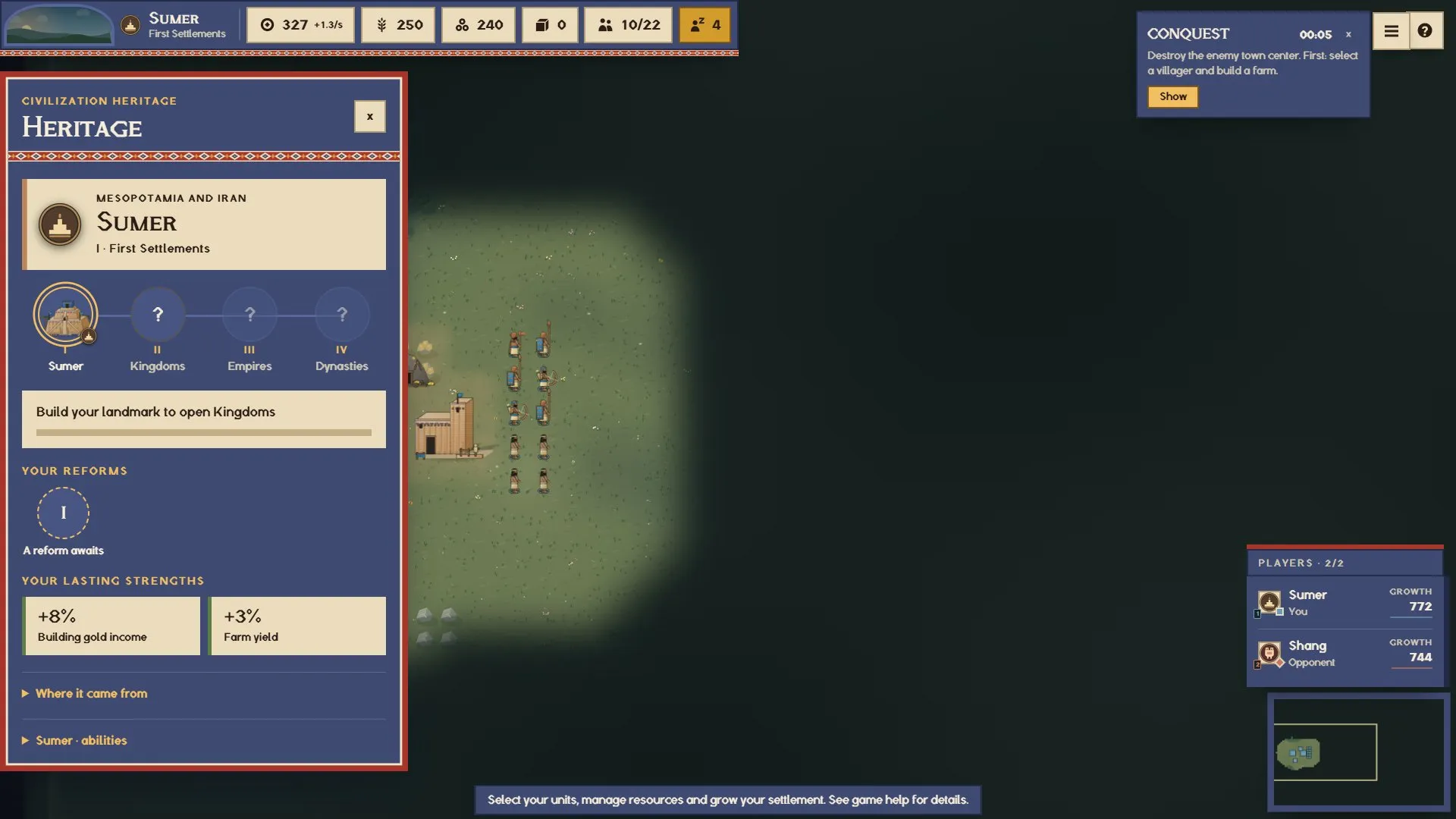
The heritage panel opens just under the resource bar, where its button is. Its text is larger and the panel is only as tall as what it holds. The settings window, the pause screen and the reform choice use the same colours now; before, some white text sat on light grounds and could not be read.
Other fixes
- When the page first loaded, soldiers showed up in their old plain outfits and switched to their new drawings a moment later. They now appear in their own designs from the first frame. The same goes for the buildings on the civilization stage.
- The third-age Palace Guard and Guard Archer and the Ottoman janissary were still drawn in the old plain outfit. They now wear their own civilization’s designs.
- The Minoan emblem on the selection stage was the same colour as its ground and could not be seen.
- Sending a group somewhere without a formation, the quick soldiers ran through the ranks ahead of them and everyone bumped and turned back. I counted 30 to 66 turn-backs on a march of thirty soldiers; now it is 0 to 5. The group walks at its middle soldier’s pace: the horse do not race ahead, and slow pieces like siege engines hold nobody back. A packed group opens up as it moves.
This version changes the online match version. If your game tab stayed open, reload it once before joining an online match.
The game is at cradlecrown.com. Send bugs or suggestions through r/cradlecrown or to [email protected].