Age of Blocks v1.1: a bookcase, new sound and a livelier menu
I redesigned the Library, reworked the audio, expanded the single-player setup and updated the town in the main menu.
After shipping v1.0 I went through everything players flagged, plus the bits that had been bugging me, one at a time. There’s no new age or mechanic in v1.1. Most of the work in v1.1 was polish and fixes, although it affected almost every screen.
The Library is a bookcase now
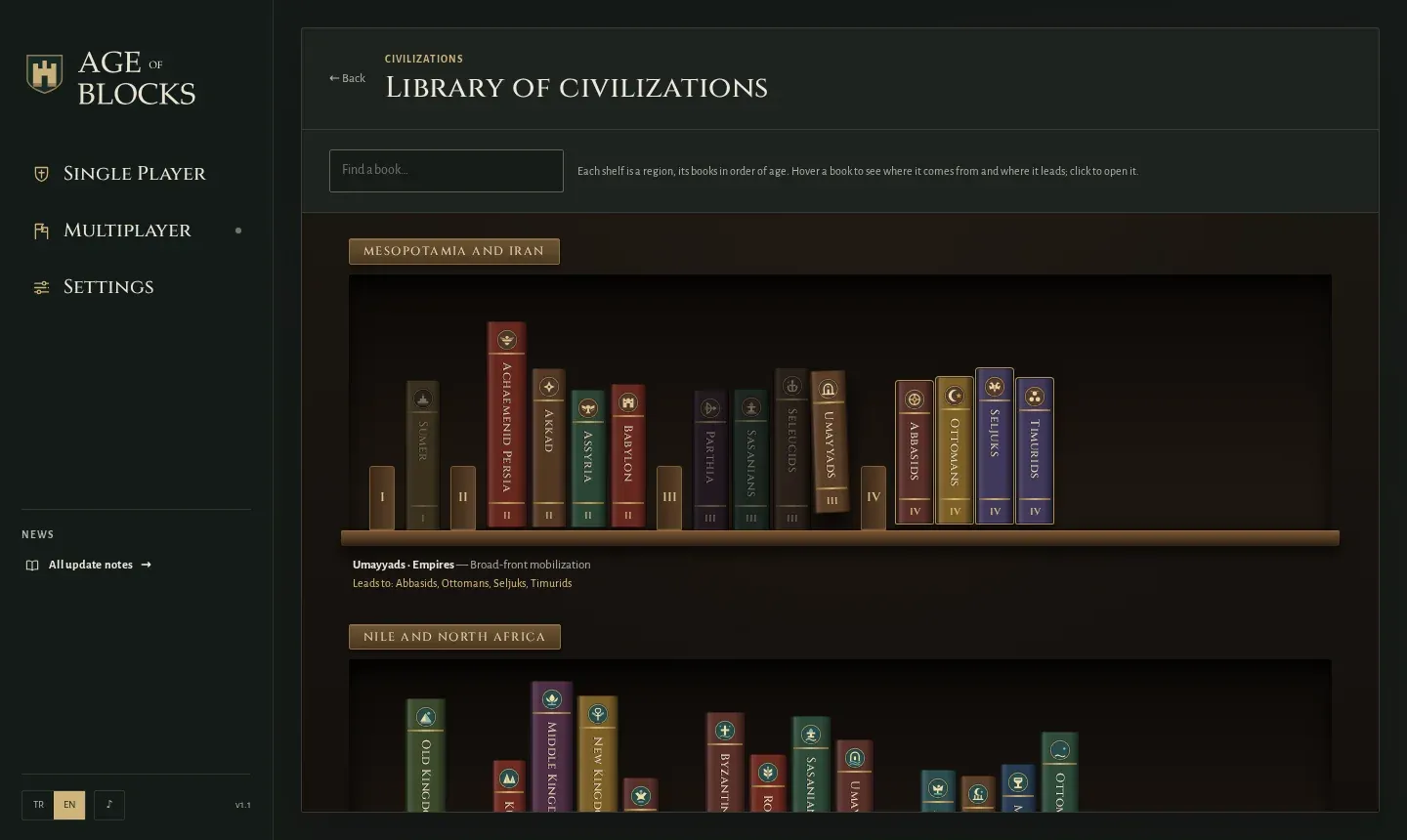
The civilization tree used to look like a spreadsheet. Now it’s a proper bookcase: each region is a wooden shelf and each civilization a book with its emblem and name on the spine, lined up behind bookends numbered by age.
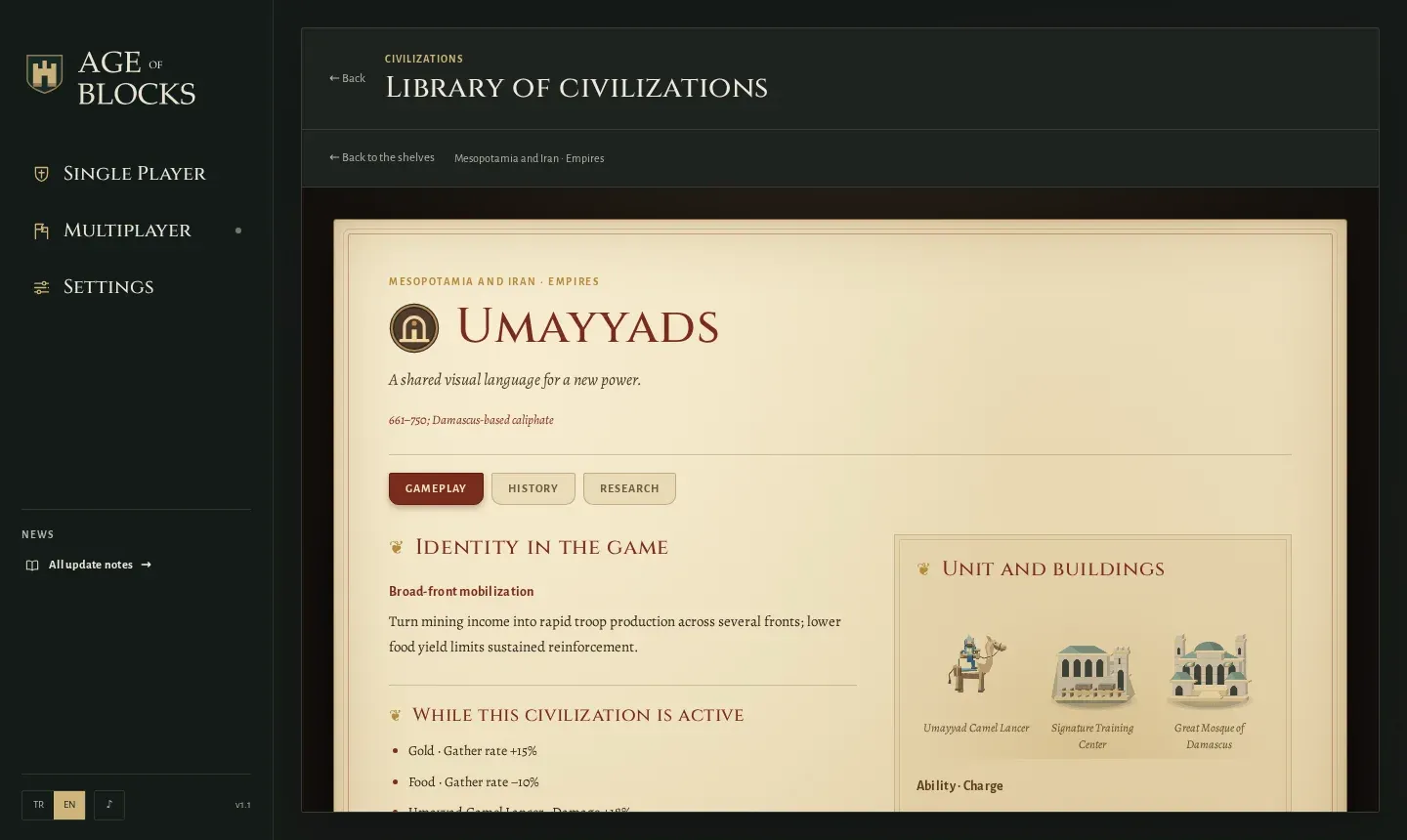
Hover over a book and it slides partway off the shelf, the age it belongs to lifts a little, and the civilizations you can pick after it get a gilt outline. Click it and it opens as a manuscript page, with aged parchment, red headings and an illuminated first letter. I also removed unnecessary footnotes.
Sound
This is where most of the work went. I re-recorded every effect in the game: swords, shields, spears, arrows, muskets, catapults, buildings coming down, work and drop-off sounds, the interface and alerts. For each one I picked a short, warm take that doesn’t grate when you hear it fifty times in a row.
Then I fixed the mix. Combat sits up front, and the work and UI sounds you hear constantly sit behind it. Collapsing buildings and the age bell are louder and more distinct, and the harsh high end is softened. Some recordings also had a sliver of silence at the start, so the sound arrived a beat after the click; they now play from the first audible moment.
Infantry and villager footsteps are gone. Constant marching just wore you down. Hooves and catapult wheels stayed, and they get louder or quieter with how many units are moving. The map also has ambient sound now: meadow, river, forest and town fade in depending on where the camera is, sitting quietly under the effects.
Single-player matches
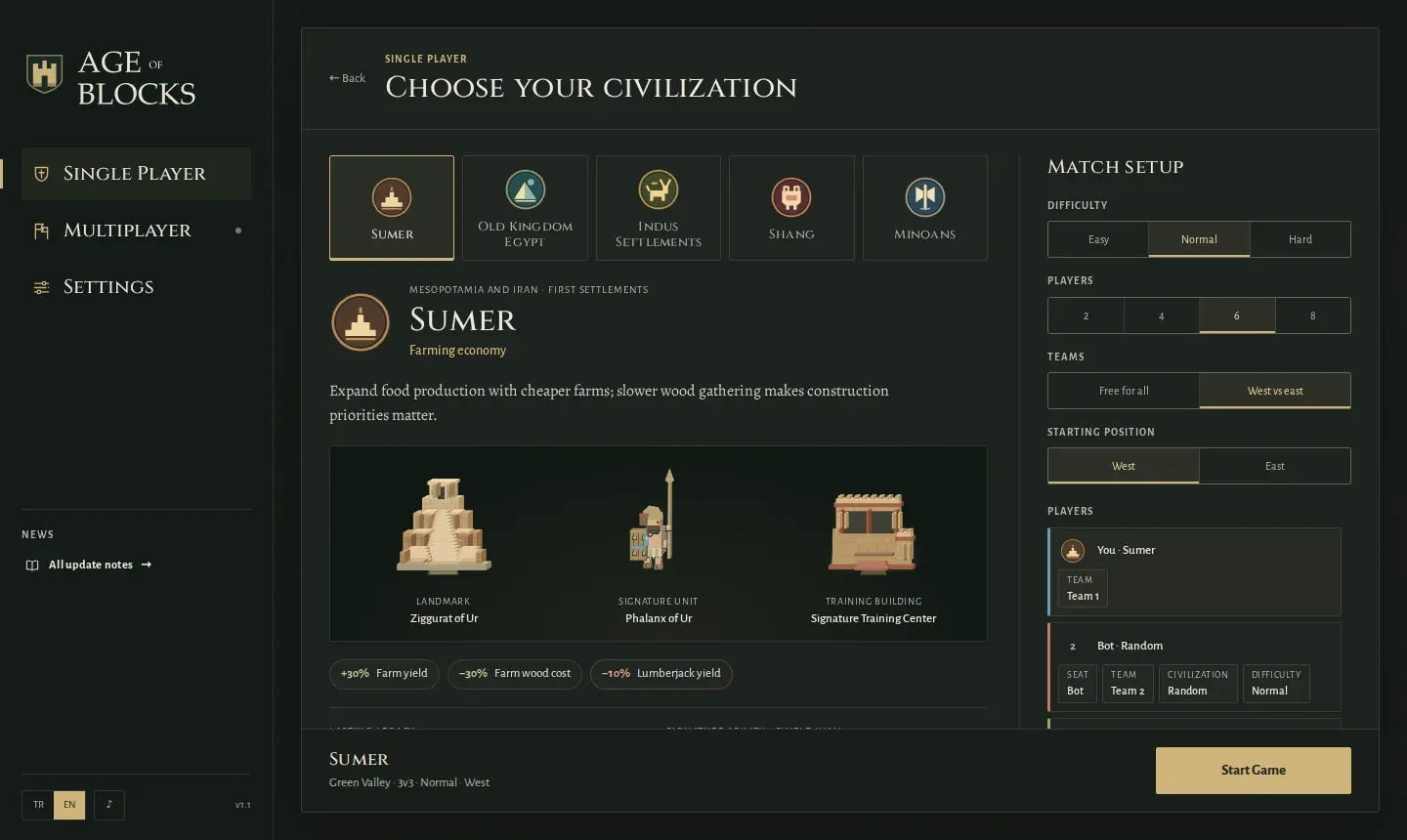
Single-player setup is now as detailed as an online room. Pick 2, 4, 6 or 8 players, everyone for themselves or west against east. You can set each bot’s team, civilization and difficulty separately, and the summary line shows the sides, like “3v2”. The signature unit pictures on the civilization picker are also the same size in single player and multiplayer now.
Main menu
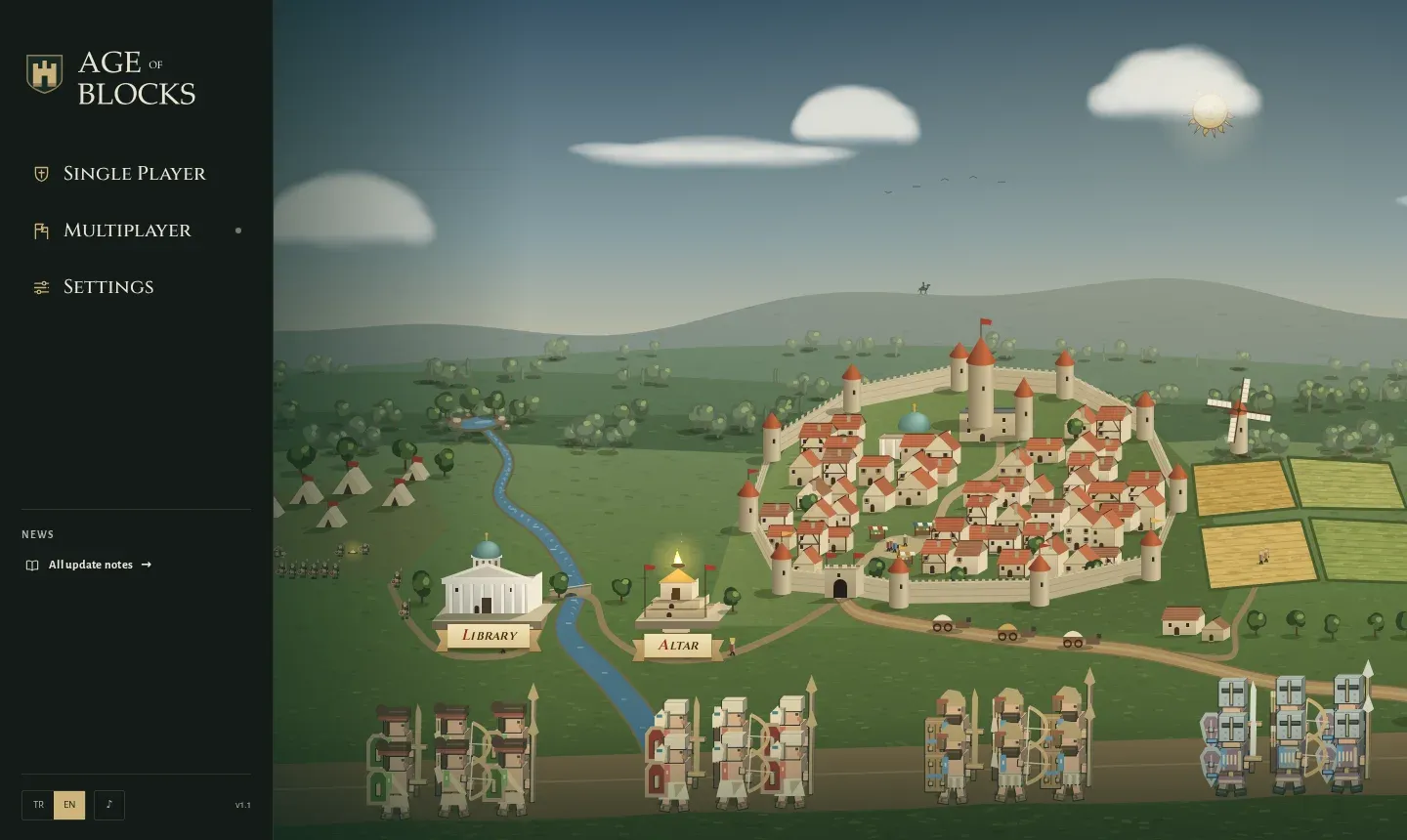
I reworked the colours. The old menu swung between a loud spring green and a washed-out pastel; now it’s sage, warm earth and parchment light. Clouds are softer, and the sun and moon have finer lines. At sunset the clouds no longer jump from one colour to the next but darken gradually with the evening, and the hitch at nightfall is gone.
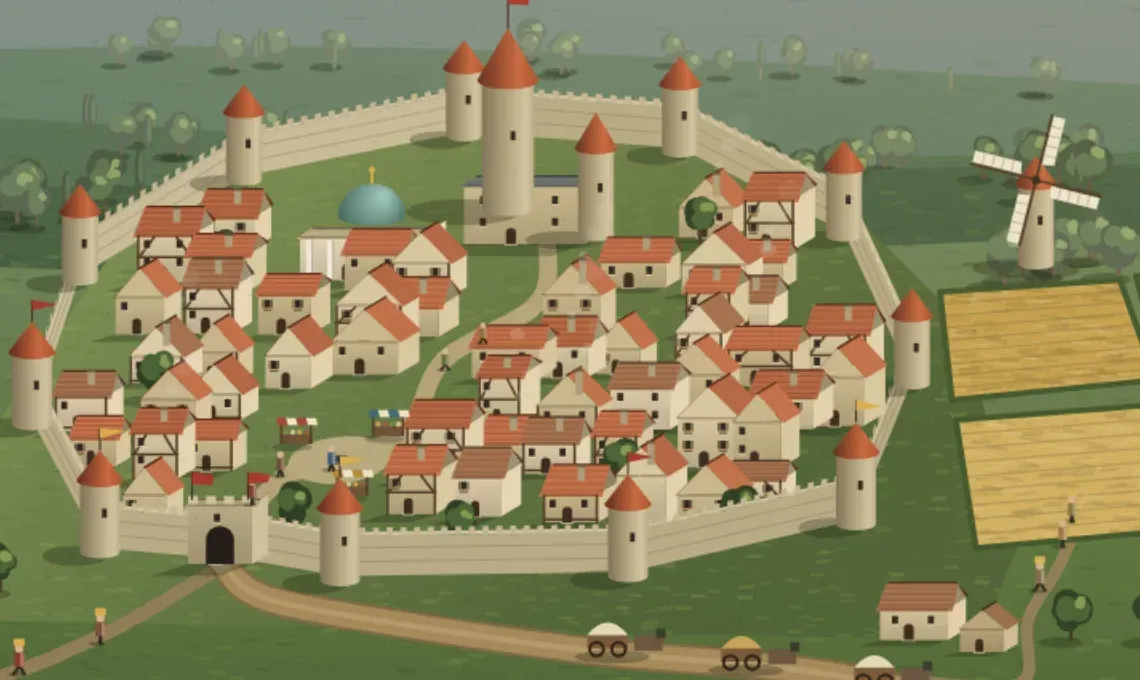
My favourite change is the town. Every road in the valley now leads to the city gate, and people walk them: townsfolk, scholars, pilgrims, farmers, soldiers, travellers. They go in and out of the gate, rest for a while in their own spot at the market, the library or the fields, then head off somewhere else. Some hang around, some leave right away. They don’t walk through each other, and they shrink as they head into the distance. When a caravan comes down the road, people step aside. Trees and carts are drawn in the right order too, so characters are no longer drawn over trees.
On top of that, the Altar now stands clear of the walls, houses have timber framing, shutters and chimneys, and the square has a market. The news panel shows a summary of the latest #age-of-blocks post from this journal, with an “All update notes” link underneath.
Fixes
- Occasionally a room couldn’t be created, “Start game” did nothing and the back button froze. Found the cause and fixed it.
- The left menu no longer shrinks when you open a sub-screen.
- Settings are split into four sections: Audio, Display, Gameplay and Controls.
- The long save note in single player is short again, and civilization advantages that were listed twice now appear once.
- The menu still opens quickly despite everything new, because the heavier screens only load when you open them.
Have fun.